
HalesMeds
Higher Learning Technologies IncMedical
3.38.00 Reviews
- Version
- 7.01.5705
- Installs
- 10.00K
- Age Rating
- Everyone
Screenshots
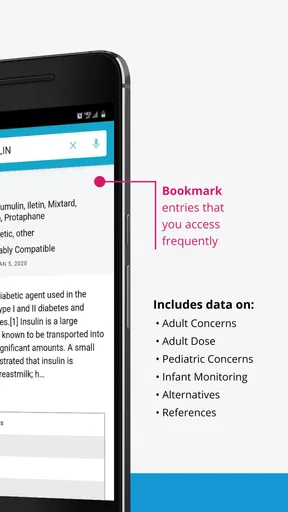
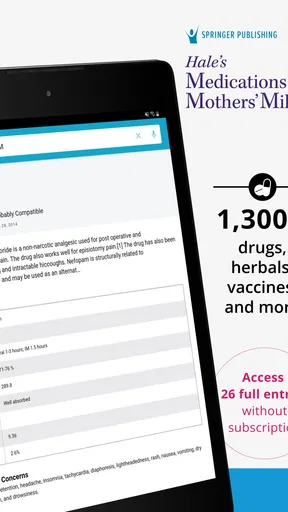
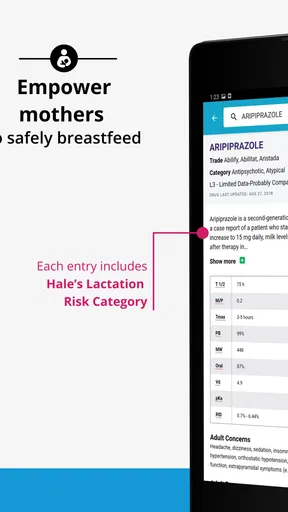
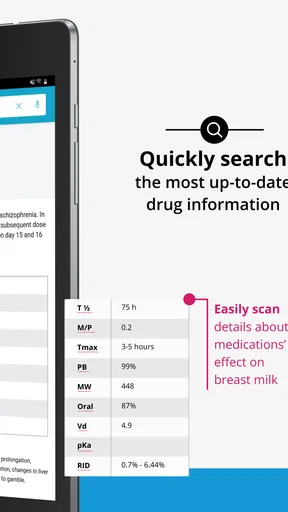
Our Review of HalesMeds
 Analysis by Appyee
When I first open HalesMeds, I treat it as a reference for learning about medicines, not as a replacement for a pharmacist or clinician. That distinction makes the app easier to use well: it can help me understand a drug or prepare a better question, while decisions about taking, stopping, or changing treatment still belong with a qualified professional. If you’re new to medication reference apps, that’s a reassuring place to start.
Who is likely to get the most from it
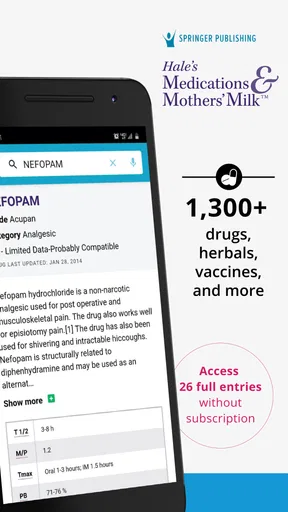
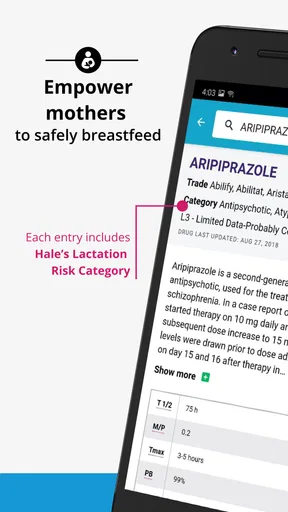
I can see HalesMeds being useful to students building familiarity with medical terms, caregivers trying to make sense of a family member’s medication list, and anyone who wants a reference close at hand while reading a prescription label. It is a medical app from Higher Learning Technologies Inc, and its focus is broad reference material rather than a single condition or one narrow group of medicines. The app’s description points to coverage across drugs, diseases, vaccines, and syndromes, which makes it more useful for looking up related health topics than a drug-name-only directory.
For a first-time user, I would begin with one question rather than trying to explore everything at once. Look up a medicine you already know, read the entry carefully, and note the wording you would like clarified. That small first task shows whether the style and depth work for you, without turning a quick reference check into an evening of browsing.
How I’d use it during an ordinary day
Imagine you’re helping a relative prepare for an appointment and find a medicine name on the current list that you don’t recognize. I’d use HalesMeds to get oriented before the visit: identify the entry, read the available explanation, and write down a focused question about why it is being taken or what instructions need checking. The useful outcome is not a self-made treatment decision; it is arriving at the conversation with clearer language and a more specific question.
A similar workflow helps when a label includes a term that sounds unfamiliar. I’d check the reference, then compare what I have read with the actual label and the instructions from the prescriber. If the names differ, the directions are unclear, or the situation involves a possible reaction, I would stop guessing and contact a pharmacist or clinician. A searchable reference is most helpful when it reduces confusion without giving me false confidence.
What it is not meant to replace
People often expect a medication app to behave like a complete personal health record, a dosing schedule, and an urgent safety service all at once. I would not assume that any reference app can safely do all of those jobs. Keep an up-to-date medication list somewhere reliable, follow the instructions provided by your healthcare team, and use a professional source for decisions that depend on your age, conditions, allergies, or other medicines.
That caution matters especially when checking interactions. A result from an app can be a prompt to ask a professional, not proof that a combination is safe or unsafe for a particular person. The same goes for disease and vaccine information: a general explanation can help you understand a topic, but it cannot account for the full details of an individual case. For urgent symptoms or a suspected serious reaction, seek appropriate medical help rather than spending time searching entries.
Choosing it over familiar alternatives
Compared with searching the open web, a dedicated medical reference can feel more focused: you start with a health topic rather than sorting through unrelated pages, advertisements, or personal anecdotes. Compared with a pharmacy’s own medicine information, HalesMeds may be more convenient when you want to move between drug and broader medical topics in one place. The trade-off is that no single reference should be treated as the final authority for every question, and a pharmacist can apply information to the exact product and directions in front of you.
If your main need is a simple reminder alarm, a basic calendar or medication tracker may suit you better than a reference-centered app. If you need comprehensive personal medication management, including a dependable record shared with caregivers or a care team, confirm that the specific tool you choose supports that workflow before relying on it. I’d choose HalesMeds when the priority is learning and looking things up, not when I need it to coordinate my care.
Making a first session manageable
Instead of entering a long list of unfamiliar terms immediately, I’d start with one medicine or condition and keep the package or prescription label nearby. That gives you a direct way to check spelling and avoids confusing two products with similar names. When you find something useful, save the key question or note it in the place where you keep appointment reminders; don’t rely on memory to carry a complicated instruction from one screen to another.
HalesMeds is free to download, with optional in-app purchases listed from $7.99 to $84.99 per item. I’d explore the free experience first and decide whether any paid option solves a real need before spending money. The app is rated for Everyone, has a 3.3 average from 27 ratings, and has 10K+ installs. Those figures give a little context, but I wouldn’t use them as a substitute for checking whether its reference content is clear and useful for your own questions.
The app first appeared on June 28, 2018, and its current version is 7.01.5705, with Android 7.0 as the minimum operating system. If you’re installing it on an older device, check that your operating system meets that requirement. Beyond that practical check, the most important first step is to use it for a modest reference task and judge whether you can find and understand what you need.
Hey there, app explorers! Today, I’ve got something super interesting for you to check out. If you’re like me and sometimes find navigating the world of medications a bit overwhelming, then HalesMeds might just be your new best friend. I’ve spent some time diving into this app, and I’m here to spill all the details.
What’s the Buzz About HalesMeds?
Let’s kick things off with what HalesMeds is all about. This app aims to simplify the way we manage and learn about medications. You know how it is with prescriptions – lots of names, dosages, and interactions to keep track of. HalesMeds steps in as a personal assistant, helping you stay on top of your meds like a pro.
Getting Started with Ease
First impressions matter, right? Setting up HalesMeds was a breeze, and that’s always a win in my book. You download the app, create an account, and boom – you’re in. The user interface is clean and intuitive, which means you won’t be wasting time trying to figure out where things are. Just a few taps and you’re ready to explore its features.
Features to Keep You Hooked
Now, let’s get into the juicy bits. HalesMeds offers a range of features that can make a real difference in your medication management. Here are some highlights:
- Medication Reminders: Never miss a dose again! You can set up reminders for each medication, complete with dosage instructions and timing. It’s like having a personal alarm clock dedicated to your meds.
- Drug Interaction Checker: This feature is a lifesaver – literally. It helps you check for potential interactions between different medications, which can be crucial for your health.
- Comprehensive Database: Need to know more about a specific drug? The app provides detailed info on a wide range of medications, so you’re never in the dark.
Real-World Usability
Alright, we’ve talked about features, but how does HalesMeds hold up in real life? Pretty darn well, if you ask me. The reminders are accurate and reliable, and I found the interaction checker to be a fantastic safety net. Plus, the database is handy for those moments when you need a quick refresher on what you’re taking and why.
One thing I really appreciated was the ability to customize the app to suit my needs. You can adjust settings and notifications, which means it works around your lifestyle, not the other way around.
A Few Thoughts to Ponder
Of course, no app is perfect, and there are a couple of things worth mentioning. While the app is generally user-friendly, some users might find the initial setup a bit detailed, especially if you’re managing a complex medication regimen. But hey, a little investment of time upfront for smoother sailing later, right?
Another point is that while the database is extensive, it might not cover every single medication out there. However, it does have a solid range for most commonly used drugs.
Wrapping Up the Experience
So, what’s the final verdict on HalesMeds? It’s a nifty tool for anyone looking to streamline their medication management. With its user-friendly design and valuable features, it’s a worthy addition to your app collection. If you’re someone who wants to take control of their health without the hassle, HalesMeds is definitely worth a download.
Ready to give it a whirl? Check out the app in your respective app store and see how it fits into your life. Stay healthy and appy exploring!
Verdict
Strengths of HalesMeds
- User-friendly interface for easy navigation.
- Comprehensive database of medications.
- Real-time updates on drug interactions.
- Offline access to saved information.
- Customizable notification settings.
Limitations of HalesMeds
- Limited free features without subscription.
- Some minor bugs in search function.
- No 24/7 customer support available.
- Requires internet for full functionality.
- Occasional slow loading times.
Similar Picks in This Category
View All
WebMD: Symptom Checker
WebMD, LLC4.1

Microphone Amplifier
DOSA Apps4.2

Anatomy Learning - 3D Anatomy
3D Medical OU4.5

Period Tracker and Calendar
SimpleInnovation4.9

GoodRx: Prescription Coupons
GoodRx4.8

CVS Health
CVS Pharmacy4.5
Frequently Asked Questions
What is HalesMeds and how does it work?
HalesMeds is a comprehensive app designed to streamline medication management. It allows users to track prescriptions, set reminders for medication intake, and access a database of drug information. By syncing with your device calendar, it ensures you never miss a dose, making it particularly useful for individuals managing multiple medications.
Is HalesMeds available for both Android and iOS devices?
Yes, HalesMeds is available for download on both Android and iOS platforms. You can find it on the Google Play Store for Android devices and the Apple App Store for iOS devices. The app is optimized to deliver a seamless experience on both operating systems.
Does HalesMeds require any subscription fees or in-app purchases?
HalesMeds offers a free version with basic features. However, for advanced functionalities like detailed drug interaction alerts, premium support, and ad-free experience, users can opt for a subscription plan. The subscription is reasonably priced and enhances the app’s usability significantly.
Can HalesMeds be used for managing prescriptions for multiple family members?
Yes, HalesMeds allows users to create multiple profiles, making it convenient for families or caregivers managing prescriptions for several individuals. Each profile can have customized settings and reminders, helping to ensure that everyone's medication schedule is maintained accurately.
How secure is my personal health information on HalesMeds?
HalesMeds prioritizes user privacy and data security. The app uses encryption protocols to protect your personal and health information. Moreover, it complies with data protection regulations, ensuring that your information is securely stored and not shared with third parties without your consent.
